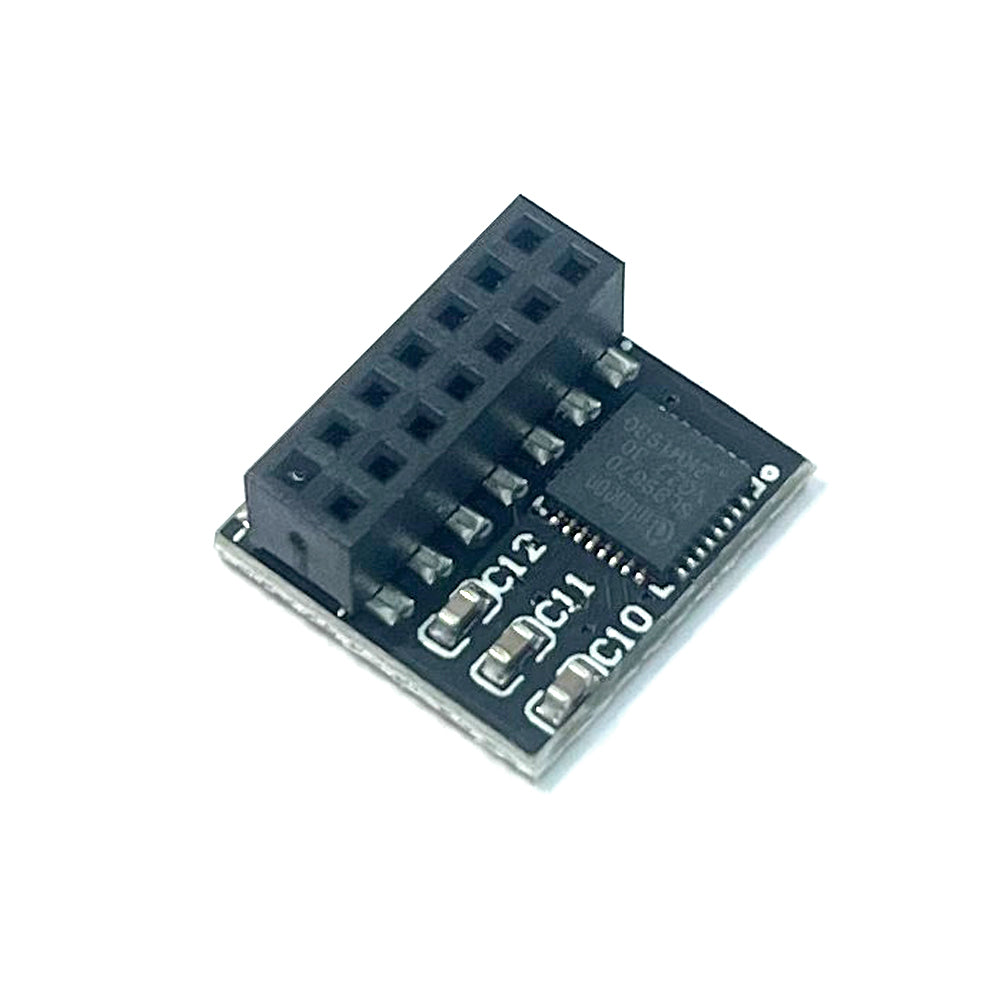
ASUS PRIME B760-PLUS B760M-AYW WIFI ProArt B760-CREATOR TPM-SPI 2.0 14pin-1 Security Module SLB9670
SKU NE0309-2
Match the connector and the number on your original part.
Check CompatibilityCouldn't load pickup availability
100% Fit Guarantee
After we confirm your model, original part number and connector.
30-Day Free Returns
US orders. We cover return shipping, including a part you selected by mistake.
Part Details
- SKU
- NE0309-2
- Part category
- Security Module
- Compatible models
- ASUS PRIME B560 B560M B650 B650M B660 B660M B760 B760M Z590,ROG STRIX B560 B660 Z590
- Condition
- NEW
Use the listing photos and description to compare your original part. A laptop series can have more than one connector or hardware version.
-
This product is only compatible with older motherboards (e.g., Intel, AMD) and not suitable for new motherboard models with firmware TPM, all-in-one PCs, or laptops.
-
Minimum hardware requirements for upgrading to Windows 11 via TPM 2.0:
- 1 GHz or faster 64-bit processor (dual-core/multi-core)
- 4 GB RAM
- 64 GB storage
- Firmware supporting UEFI Secure Boot and TPM 2.0
- DirectX 12 compatible graphics card
- Display with 720p resolution or higher
-
This product features a 14pin-1 connector. Please carefully check if the pin layout in the product images matches your motherboard before purchasing.
Compatible Models: for ASUS Motherboard
PRIME B760M-F WIFI-CSM
PRIME B760-PLUS D4-CSM
PRIME B760-PLUS D4
PRIME B760-PLUS
PRIME B760-PLUS-CSM
PRIME B760M-F WIFI
PRIME B760M-K
PRIME B760M-PLUS
PRIME B760M-A-CSM
PRIME B760M-PLUS-CSM
PRIME B760M-A WIFI-CSM
PRIME B760M-F WIFI-CSM
B650E MAX GAMING WIFI
B650E MAX GAMING WIFI W
B760M-AYW WIFI
B760M MAX GAMING WIFI
B760M-AYW WIFI D4 II
ProArt B660-CREATOR D4
ProArt B760-CREATOR D4
ProArt B760-CREATOR
ProArt B760-CREATOR WIFI
How to Choose and Install the Security Module:
- First, check if your host has TPM 2.0 or if TPM 2.0 is enabled.
- Press
Win + Rto open Run, typetpm.msc, and check the TPM version and readiness status. - If TPM 2.0 is shown but not ready, you may need to configure it in the BIOS. Contact your motherboard manufacturer’s customer support for guidance.
- Open your computer case and locate the TPM connector on the motherboard.
- During installation:
- Align the module with the connector (the side with the chip faces inward).
- Ensure it is fully inserted to prevent loosening. (See images for orientation details.)
Product Specifications
- Compatible with: ASUS TPM-SPI 2.0
- Chipset: SLB9670
- Interface: SPI
- Pin Definition: 14pin-1
Key Benefits
- Seamless Windows 11 Upgrade: Resolves TPM 2.0 verification issues, making it easy to upgrade to the latest OS.
- Enhanced Hardware-Level Security: Features an independent encryption chip dedicated to securely storing sensitive data (e.g., encryption keys, digital certificates, login credentials), boosting overall system security.
-
Hardware Encryption Acceleration: Reduces CPU load by offloading encryption tasks to dedicated hardware, indirectly improving system responsiveness and smoothing performance for encryption-reliant applications (e.g., games, security software).
Any damage that happen during the installation will not be handled by the Seller.
Share